

Introduction
Silver streaks – also known as silver lines or splay marks – are among the most common surface defects in injection molding . They typically appear as shiny, silvery streaks along the flow direction, indicating gas entrapment or material degradation. The primary culprit is inadequate drying of the resin (moisture or volatile components), but many other factors can also trigger the problem.
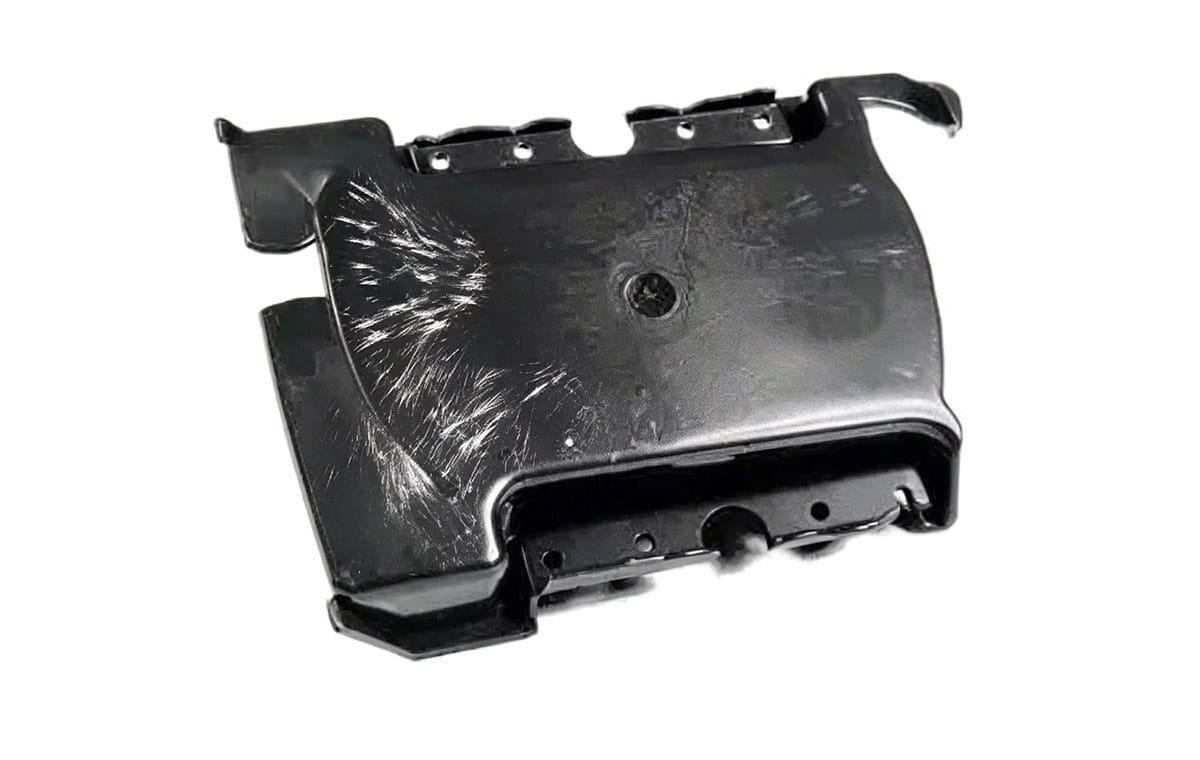
First‑step rule: Always run a trial with thoroughly dried virgin material. If streaks persist, systematically investigate the four areas below.
1. Injection Molding Machine – Related Causes
| Component / System | Potential Issue | Remedy |
|---|---|---|
| Screw & barrel | Wear or damage creates dead zones where melt stagnates and degrades. | Inspect and replace worn screw/barrel; check non‑return valve (check ring) for proper fit. |
| Heating system | Thermocouple or heater band malfunction causes uncontrolled overheating. | Calibrate sensors, test heater bands, and verify PID control stability. |
| Screw design | Poor compression or venting introduces air into the melt. | Use a screw with proper venting (e.g., barrier screw) or adjust back pressure. |
2. Mold – Related Causes
Mold geometry and cooling directly affect melt flow and gas escape.
| Mold Feature | Problem | Corrective Action |
|---|---|---|
| Venting | Insufficient venting traps air and volatiles. | Add or enlarge vents (depth 0.02–0.04 mm for most engineering plastics). |
| Runner / gate / cavity | High friction resistance causes localized overheating and degradation. | Polish flow surfaces; increase gate size or change gate location. |
| Flow balance | Uneven filling leads to differential heating and air entrapment. | Optimize runner balancing (simulate with Moldflow). |
| Cooling system | Poor cooling creates hot spots; leaking water enters the cavity. | Check seals, adjust cooling channel layout. |
| Cold slug | Unmelted plastic particles degrade or obstruct flow. | Enlarge cold‑slug well; use a heated nozzle or sprue bush. |
| Runner/gate size | Too small or too long → premature solidification and gas pockets. | Increase runner diameter and gate depth; shorten runners if possible. |
3. Process Parameters – Related Causes
Process settings control melt temperature, pressure , and residence time – all critical to silver‑streak formation.
| Parameter | Fault Condition | Optimization |
|---|---|---|
| Temperature (barrel, nozzle) | Too high → thermal degradation; too low → poor melt homogeneity. | Set within material supplier’s range; use nozzle temperature 5–10 °C lower than front zone. |
| Injection pressure / speed | Excessive shear heating → degradation; too low → insufficient compaction to dissolve gases. | Use multi‑stage injection (slow–fast–slow) to balance fill and venting. |
| Back pressure & screw speed | Low back pressure + high speed → air entrainment. | Increase back pressure (e.g., 5–10 bar) and reduce screw rpm. |
| Cycle time / residence | Over‑long residence causes degradation (especially for heat‑sensitive resins). | Use machine with shot size between 20 % and 80 % of barrel capacity. |
| Cushion (buffer) | Too large → melt stagnates; too small → pressure loss. | Optimize cushion to 3–5 mm (depending on machine). |
| Mold temperature | Too low → poor flow and freeze‑off; too high → extended cooling, gas not vented. | Adjust mold temp within material spec (use water/oil circulating units). |
| Mold release agent | Excessive agent on cavity surface → volatilizes into silver streaks. | Clean mold with alcohol; apply minimal, even coating if needed. |
4.
Material – Related Causes
Even with perfect machine and mold, the resin itself can be the source of volatiles.
| Material Factor | Issue | Solution |
|---|---|---|
| Moisture content | Hygroscopic resins (PA, PET, PC, etc.) absorb ambient moisture. | Dry according to supplier’s recommendation (time + temperature); use hopper dryer. |
| Regrind / recyclate | High regrind ratio introduces degraded material or fines. | Limit regrind to 20–30 %; screen out fines. |
| Additives (lubricants, stabilizers) | Excessive or poorly dispersed additives release gas. | Reduce additive level; use masterbatch with better dispersion. |
| Contamination | Mixing with incompatible polymers causes decomposition. | Purity raw materials; clean feeding lines and hoppers. |
| Volatile solvents | Residual solvents in colorants or fillers. | Pre‑dry colorants and fillers separately; use vacuum dryer if necessary. |
Troubleshooting Flowchart (Recommended)
To quickly isolate the root cause, follow this logical sequence:
- Dry the resin thoroughly and run a test → if solved, focus on material drying.
- If not, check mold vents and cold‑slug well → improve if needed.
- Then review process settings – reduce barrel temperature, increase back pressure, shorten cycle.
- Finally inspect machine hardware – screw, barrel, heater bands.
Visual aid suggestion: A clear decision‑tree flowchart (Yes/No) for silver‑streak diagnosis.
Placement: Near the end of the article, before the conclusion.
Summary Table – Quick Reference
| Category | Most Common Culprit | Quick Fix |
|---|---|---|
| Machine | Worn screw / dead zones | Replace screw/barrel; check check ring |
| Mold | Poor venting | Enlarge vents; add vacuum assist |
| Process | Over‑high melt temperature | Reduce barrel/nozzle temp; increase back pressure |
| Material | Insufficient drying | Dry at proper temp/time; use dehumidifying dryer |
Final Recommendation
Silver streaks are rarely caused by a single factor. A systematic, step‑by‑step approach – starting from material drying, then moving to mold, process, and machine – will resolve >90 % of cases. Keep a log of settings and changes to build your own troubleshooting database.
For heat‑sensitive materials (e.g., PVC, POM, PC), always prioritize short residence time and low shear to prevent degradation.



 English
 French
 Dutch
Dutch German
 Japanese
 Korean